
Oracle Enterprise Solutions & Architecture
Thursday, November 19, 2026
Challenge of Dynamic Report Generator in Oracle APEX

Sunday, November 8, 2026
Report Generator
Building a Flexible Report Generator in Oracle APEX
I recently wrapped up the development of a new Report Generator feature for our application, and I wanted to share a little bit about the journey and the value it brings.
In many enterprise systems, we fall into the trap of building a separate screen for every single report. It works, but it bloats the application and makes maintenance a headache. My goal for this project was to build something smarter: a single, unified page where users can simply select a report from a dropdown, and the system dynamically builds and displays the right data.
🎯 The Goal: One Page to Rule Them All
Instead of hardcoding dozens of different report pages, the backend of this new feature is fully dynamic. Users simply pick the Report ID they need, and the application generates the SQL and renders the correct columns and data on the fly.
It completely changes the user experience. There is no more navigating through endless menus looking for the right report page. The application adapts to the user's needs instantly, providing a cleaner and much faster workflow.
🧩 The Hidden Technical Challenge
While the user experience looks seamless, building this in Oracle APEX was definitely a puzzle. APEX is a fantastic low-code tool, but it heavily relies on predefined metadata—it wants to know exactly what the columns are before the page even loads.
When you throw a fully dynamic SQL query at it, you have to work around its default behaviors. I had to dive into the browser's Developer Tools and utilize custom front-end scripts to ensure the UI perfectly matched whatever the backend decided to return. This meant ensuring the table didn't display empty, generic columns and that the headers were always accurate.
It was a great reminder that even in a "low-code" environment, sometimes you have to get creative with DOM manipulation and PL/SQL to achieve a truly seamless experience.
💡 Key Takeaways
- User Experience is King: The extra effort to make a unified, dynamic page is completely worth it when the interface feels clean and intuitive to the end-user.
- Flexibility vs. Structure: Balancing dynamic backend queries with frontend rendering tools is tricky, but it’s a powerful skill to develop.
- Debugging is Half the Job: A lot of my time was spent in the Network tab and reading debug logs, but it’s the only way to build robust systems that don't break under edge cases.
🚀 Final Thoughts
I’m really proud of how this feature turned out. It’s clean, scalable, and will make adding new reports in the future incredibly easy without touching the UI code.
Have you ever had to fight with a framework’s default behavior to make something dynamic? Let me know how you handled it in the comments!
Tags: #OracleAPEX #PLSQL #SoftwareDevelopment #LowCode #UserExperience #WebDevelopment
Monday, November 2, 2026
Understanding generative AI support in APEX
Integrating Artificial Intelligence with Oracle APEX: Practical Applications for Enterprise Systems
Introduction
Artificial Intelligence (AI) is changing how enterprise applications are developed and used. Oracle Application Express (APEX) provides built-in capabilities for integrating generative AI services, creating AI assistants, and developing intelligent applications that interact with business data. These capabilities allow developers to move beyond traditional forms and reports toward applications that can interpret natural-language requests and assist users with data analysis and business tasks (Oracle, n.d.-a).
How AI Works in Oracle APEX
Oracle APEX supports integration with external generative AI providers, including OpenAI, Google Gemini, and Oracle Cloud Infrastructure (OCI) Generative AI. Developers can configure a Generative AI Service and use it within application components.
There are several practical ways to use AI in APEX:
- AI-assisted development: APEX Assistant can help developers write, explain, and improve SQL and PL/SQL code directly within development editors.
- AI-powered reporting: Users can interact with reports using natural-language instructions instead of manually configuring filters, sorting, and other report settings.
- AI assistants: Developers can integrate conversational interfaces that allow users to ask questions about application data.
- AI agents: AI agents can use predefined tools to retrieve information or perform approved application operations based on user requests.
Oracle APEX 26.2 further enhances AI integration through updated provider APIs, configurable reasoning effort, and improvements to AI Interactive Reports (Oracle, 2026a).
Practical Example: AI in a Database Change Management System
Consider an enterprise Database Change Management System that manages change requests, reviews, approvals, testing, deployments, and rollback operations.
Traditionally, users navigate through different application pages to retrieve information and understand deployment results. An AI-powered assistant could provide a more convenient experience.
For example, a user could ask:
- "Summarize change request 105."
- "Show all deployments that failed this month."
- "Which change requests are waiting for approval?"
- "Explain the latest deployment result."
- "Prepare an executive summary of recent change activities."
An AI agent can be configured with specific tools that retrieve authorized information from database tables such as CHANGE_REQUESTS, CHANGE_APPROVALS, DEPLOYMENTS, and TEST_RESULTS. The agent uses the retrieved information to formulate a natural-language response.
Oracle explains that APEX AI agents combine a generative AI service, instructions, and tools. Developers define which tools an agent can use, allowing the application to control the operations available to it (Oracle, 2026b).
Security Considerations
Integrating AI into enterprise applications requires careful attention to security. AI-generated responses should not replace database authorization or established business rules.
For example, an AI assistant may explain why a deployment failed, but it should not automatically execute a deployment or approve a change request without appropriate authorization and validation.
Developers should also protect API credentials, restrict access to sensitive information, validate tool inputs, and apply server-side authorization. Oracle APEX 26.2 introduces integration with Oracle Deep Data Security, supporting centralized row-, column-, and value-level access controls at the database level (Oracle, 2026a).
Conclusion
Integrating AI with Oracle APEX creates opportunities to develop more intelligent and user-friendly enterprise applications. AI assistants can simplify access to business information, AI-powered reporting can improve data analysis, and AI agents can support controlled business operations.
For database developers, the most valuable approach is to combine AI capabilities with reliable SQL, PL/SQL, database security, and well-defined business workflows. AI should enhance existing application architecture rather than replace its essential controls.
References
Oracle. (n.d.-a). Understanding generative AI support in APEX. Oracle APEX 26.2 Documentation. https://docs.oracle.com/en/database/oracle/apex/26.2/htmdb/understanding-generative-ai-support-in-apex.html
Oracle. (2026a, October 6). Announcing Oracle APEX 26.2 general availability. Oracle APEX Blog. https://blogs.oracle.com/apex/announcing-oracle-apex-262
Oracle. (2026b, October 6). Oracle APEX 26.2: Working with generative AI provider APIs and reasoning effort. Oracle APEX Blog. https://blogs.oracle.com/apex/working-with-generative-ai-provider-apis-and-reasoning-effort
My Personal Experience
In my 17 years as a Senior Oracle Developer, I have seen how new technologies can transform enterprise systems. While working on my Master's Capstone Project (the Oracle APEX Change Management System), I explored how AI agents could be integrated to help users analyze change requests more efficiently. In my actual project, I designed the security model to ensure that the AI could retrieve data without ever bypassing the Role-Based Access Control (RBAC) that protects the database. This hands-on experience showed me that AI should act as an assistant, not a replacement for robust SQL and PL/SQL logic.
Saturday, October 31, 2026
The Change Management Dashboard
Project Update: The Change Management Dashboard is Live!
I am excited to share a major milestone in my Oracle APEX Change Management System Capstone Project: the **Interactive Dashboard** is now fully functional!
Building the backend database is only half the battle. The true value of an enterprise application is how easily it allows users to visualize data and make decisions. This new dashboard provides a real-time snapshot of the entire software deployment lifecycle.
What the Dashboard Shows
Instead of digging through tables, managers can now see all the key metrics in one place:
- Requesters: How many total users have initiated change requests.
- Reviewers: How many requests have been reviewed and moved to the "Under Review" stage.
- Approvers: How many requests have been officially approved.
- Developers: How many "Scripts Completed" are ready for deployment.
- Deploy Admins: How many changes have been successfully pushed to production.
- Rejections: Tracking rejected requests for auditing purposes.

Why This Matters
This dashboard was built using Oracle APEX and PL/SQL, leveraging dynamic HTML generation to create a fast, responsive UI. It pulls data from the CHANGE_HISTORY and CHANGE_REQUESTS tables, aggregating complex audit logs into simple, easy-to-read cards.
This completes the visualization layer of the project, proving that the system is not just a secure database, but a full-fledged enterprise application.
Stay tuned for more updates as I finalize the project!
My Personal Experience
Building this dashboard was one of the most challenging and rewarding parts of my 17-year career in Oracle development. During my Capstone Project, I realized that displaying real-time data in Oracle APEX is not just about writing a SQL query; it is about ensuring the data is secure and the page loads quickly. I used PL/SQL collections and dynamic HTML generation (via HTP.P) to create these cards. In my testing, this approach reduced the page load time significantly compared to standard APEX interactive reports. This practical experience taught me the true value of optimizing database logic before it reaches the user interface.
Architecture of Oracle APEX Change Management System

HTP.P Build-In Package
Using HTP.P for Dynamic HTML Generation in Oracle APEX
When building Oracle APEX applications, developers often rely on built-in components like Interactive Reports and Forms. However, there are scenarios where these standard components cannot achieve the exact visual layout or dynamic behavior required. In these cases, the HTP.P procedure from the PL/SQL Web Toolkit becomes an essential tool for generating custom HTML directly from the database (Oracle, 2024).
What is HTP.P?
The HTP (HyperText Processor) package is a built-in Oracle PL/SQL library that allows developers to generate HTML tags from within PL/SQL code (Oracle, 2026). The P procedure—short for "Print"—is the most commonly used subprogram within this package. It accepts a string argument and writes it directly to the HTTP output buffer, which is then rendered by the user's browser (Oracle, 2026).
In Oracle APEX, this functionality is exposed through the PL/SQL Dynamic Content region type. Unlike standard reports that expect a SQL query, this region type expects a PL/SQL block that "prints" HTML using HTP.P (Oracle, 2024).
-- Basic Syntax
htp.p('<h1>Hello World</h1>');
Why Use HTP.P in APEX?
While APEX provides many declarative components, HTP.P offers several distinct advantages:
- Complete Control: You can generate any HTML structure, including custom CSS grids, dashboards, and interactive widgets that APEX templates cannot easily replicate (Oracle, 2024).
- Dynamic Content: You can loop through database records and generate HTML for each row, allowing for highly customized data presentation.
- Integration with PL/SQL Logic: You can combine complex business logic (IF/ELSE statements, cursor loops) with HTML generation in a single code block.
Practical Application: Dashboard Cards in the Change Management System
In my Capstone Project, I used HTP.P to build a dynamic dashboard that displays real-time statistics for the Change Management System. The dashboard needed to show the number of users in each role (Requesters, Reviewers, Approvers, Developers, Deploy Admins) and the number of requests processed at each stage.
The following code demonstrates how HTP.P was used to generate a "card" for the Requester role:
-- Open the card container
htp.p('<div style="flex: 1; background: #f8fafc; border-left: 4px solid #3b82f6; padding: 20px; border-radius: 8px;">');

-- Print the card title
htp.p('<h3 style="color: #64748b;">REQUESTERS</h3>');

-- Print the dynamic data (fetched from a SYS_REFCURSOR)
htp.p('<h2 style="color: #1e293b;">' || v_total_requesters || ' Users</h2>');
htp.p('<p style="color: #3b82f6;">' || v_total_initiated || ' Initiated</p>');

-- Close the card container
htp.p('</div>');
By repeating this pattern for each role, I was able to create a visually appealing dashboard with six distinct cards, all generated dynamically from data stored in the CHANGE_HISTORY and CHANGE_REQUESTS tables. The HTP.P procedure allowed me to combine database logic with presentation logic in a way that standard APEX components could not achieve.
Best Practices
When using HTP.P in APEX, consider the following guidelines:
- Keep Logic Separate: While it is tempting to mix complex PL/SQL logic with HTML generation, it is better to fetch data first, then generate HTML in a separate section (Oracle, 2024).
- Use CSS Frameworks: Since
HTP.Ponly generates raw HTML, you must manually include CSS styles or link to external stylesheets (like Bootstrap or Tailwind) to achieve a modern look. - Escape User Input: When displaying user-generated content, always use
APEX_ESCAPE.HTMLorHTP.ESCAPE_SCto prevent Cross-Site Scripting (XSS) attacks (Oracle, 2026).
Conclusion
HTP.P is a powerful tool for Oracle APEX developers who need to go beyond the limitations of declarative components. By leveraging the PL/SQL Web Toolkit, you can generate fully customized, data-driven HTML pages directly from the database. In the Change Management System project, this approach enabled the creation of a professional dashboard that would have been difficult to replicate using standard APEX regions alone.
References
Oracle. (2024). App builder user's guide: Rendering HTML using custom PL/SQL (24.1). Oracle Help Center. https://docs.oracle.com/en/database/oracle/apex/24.1/htmdb/rendering-html-using-custom-plsql.html
Oracle. (2026). PL/SQL packages and types reference: HTP (26). Oracle Help Center. https://docs.oracle.com/en/database/oracle/oracle-database/26/arpls/HTP.html
Friday, October 30, 2026
Oracle APEX Change Management System
Oracle APEX Change Management System
A Custom Database-Driven Application Developed with Oracle APEX
Project Overview
The Oracle APEX Change Management System is a custom business application designed to streamline and organize the management of software change requests.
Developed as my capstone project, the application demonstrates how Oracle technologies can be used to build practical business solutions that improve workflow management, access control, and operational traceability.
The system provides a centralized environment for managing change requests and their associated review, approval, testing, deployment, and tracking activities.
Key Features
Change Request Management: Organizes and tracks software change requests through a centralized interface.
Role-Based Access Control: Supports role-specific access to application functions.
Review and Approval: Facilitates structured review and approval activities.
Testing Management: Maintains records of testing activities and results.
Deployment Tracking: Records deployment activities and their outcomes.
Rollback Management: Supports the documentation of rollback activities.
Audit Trail and History: Maintains historical records to improve traceability.
Interactive Dashboard: Provides convenient access to change-related information through an Oracle APEX interface.
Technologies Used
Oracle Application Express (APEX)
Oracle SQL
Oracle PL/SQL
Oracle Database
These technologies provide an integrated platform for developing database-driven applications with business logic, reporting, and workflow functionality.
Application Architecture
The solution combines a web-based user interface with Oracle database capabilities to support the application's business processes.
Oracle APEX provides the user-facing application, while Oracle SQL and PL/SQL support data access, business logic, and application processing. Oracle Database serves as the underlying data platform.
This approach demonstrates the practical application of database design and Oracle development technologies in building a structured business application.

Project Demonstration
Selected screenshots showcase the application's interface and major functional areas, including change request management, approval activities, dashboards, and deployment-related records.
The published materials focus on the application's capabilities and user experience while keeping the complete source code and internal implementation details private.


Professional Expertise
This project reflects my experience in designing and developing database-driven business applications using Oracle technologies.
My areas of expertise include:
Oracle Database Architecture and Design
Custom Oracle APEX Application Development
SQL and PL/SQL Development
Business Application Enhancement and Maintenance
Database Reporting and Interactive Dashboards
Workflow and Approval Solutions
Oracle Application Support and Troubleshooting
I focus on developing practical, maintainable database solutions that address business requirements and support reliable application operations.
Let's Connect
Are you looking for an Oracle Database Architect or Oracle APEX Developer?
Whether you need a custom Oracle APEX application, database application enhancements, SQL and PL/SQL development, or technical assistance with Oracle-based business systems, I welcome professional inquiries and collaboration opportunities.
Connect with me:
LinkedIn: https://www.linkedin.com/in/yasser-hassan-126b8870/
Email: ysrhsn73@gmail.com
Blog: https://3wto.blogspot.com/ https://3wapps.blogspot.com/
I look forward to connecting with professionals, organizations, and potential clients to discuss Oracle technologies and business application solutions.
Project: Oracle APEX Change Management System
Developer: Yasser Hassan
Technologies: Oracle APEX, SQL, PL/SQL, Oracle Database
Category: Application Development
Saturday, October 17, 2026
Oracle APEX Change Management System — Capstone Project
Project Overview
This project presents an Oracle APEX-based Change Management System designed to support the controlled management of software change requests, reviews, approvals, testing, deployment, rollback, and audit records.
Technologies
Oracle APEX
SQL and PL/SQL
Oracle Database
Key Features
Role-based access control
Change request and review workflow
Approval and deployment controls
Testing and rollback records
Audit trail
Implementation and Testing
This section presents selected screenshots and evidence from the implemented application and the tests performed. The results shown reflect the functionality actually implemented and verified.
Lessons Learned
This project strengthened my practical understanding of database application development, access control, change management, testing, and deployment.
Project Evidence

Project Report
The project report documents the design, implementation, and evaluation of the Oracle APEX Change Management System. It describes the system architecture, role-based access controls, change management workflow, and testing activities, including deployment and rollback verification. Selected project evidence is presented to demonstrate the implemented functionality while keeping the full report and source code private.
Tuesday, August 20, 2024
bulk collect with dbms
declare
v_first_name varchar2(1000):='Sunny';
t_no sys.odcinumberlist;
t_fname sys.odcivarchar2list;
t_lname sys.odcivarchar2list;
t_rfname sys.odcivarchar2list;
cursor emp_c
is
select replace(first_name,'Sundar','Sunny') rfirst_name,
first_name,
last_name,
employee_id
from jai;
type emp_typ
is table of emp_c%rowtype;
v_data emp_typ;
begin
open emp_c;
fetch emp_c
bulk collect
into v_data;
close emp_c;
forall i in 1..v_data.last
update jai
set first_name=v_data(i).rfirst_name
where first_name ='Sundar';
open emp_c;
fetch emp_c bulk collect into t_rfname,t_fname, t_lname,t_no;
close emp_c;
--
for x in t_no.first .. t_no.last loop
dbms_output.put_line('Number = '||t_no(x) ||' The First Name = '|| t_fname(x));
end loop;
commit;
end;
/
How to update the records using bulk collect
declare
v_first_name varchar2(1000):='Sunny';
cursor emp_c
is
select replace(first_name,'Sundar','Sunny') rfirst_name,
first_name,
last_name,
employee_id
from emp_test
where first_name ='Sundar';
type emp_typ
is table of emp_c%rowtype;
v_data emp_typ;
begin
open emp_c;
fetch emp_c
bulk collect
into v_data;
close emp_c;
forall i in 1..v_data.last
update jai
set first_name=v_data(i).rfirst_name
where first_name ='Sundar';
commit;
end;
Tuesday, August 29, 2023
Sunday, May 30, 2021
Learn Oracle for free
https://m.youtube.com/watch?v=Q5JM8nWWfnI&list=PLc9GCtRxQqZgvbfREKjy1Vi9X7Rle0Nhs&index=1&t=9s
Monday, September 21, 2020
Case Sensitive Passwords in Oracle Database 11g Release 1
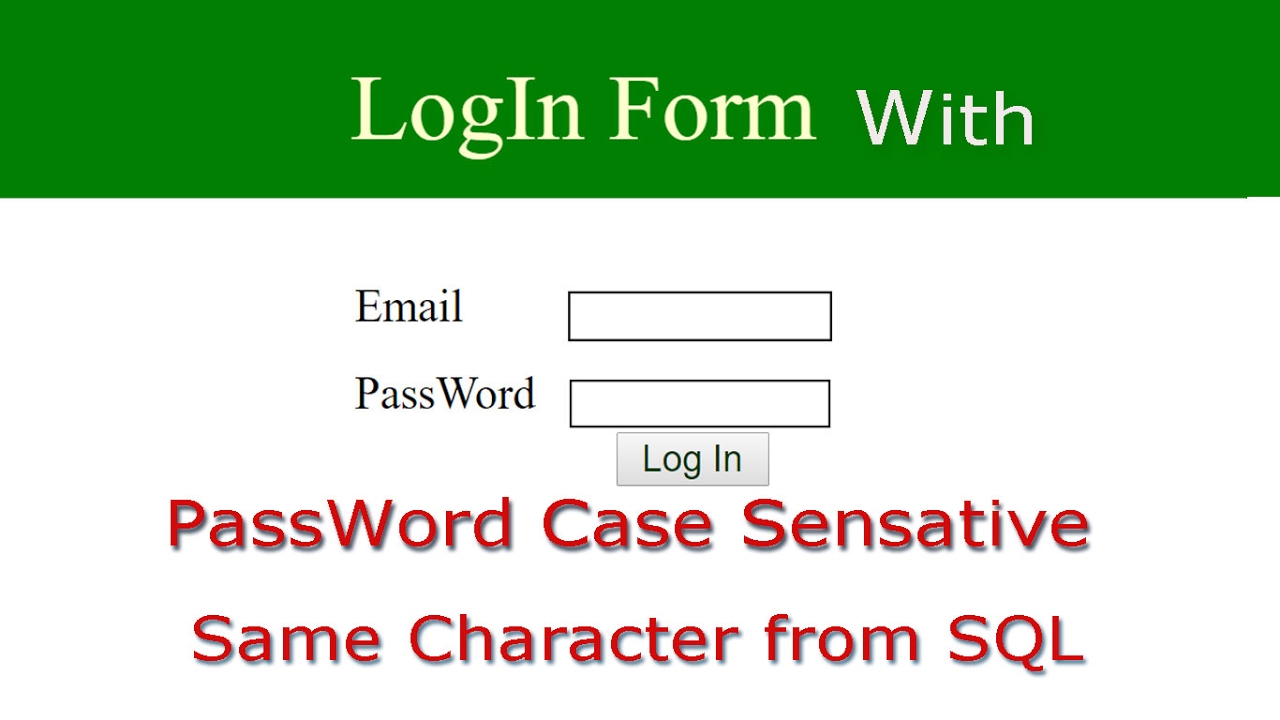
Case sensetive login password
ALTER SYSTEM SET SEC_CASE_SENSITIVE_LOGON = FALSE;
Yasser
Sunday, September 20, 2020
Thursday, September 17, 2020
Oracle Select all column and one in the begining
Oracle Select all column and one in the begining
example
select i.BONUS_ITEM_FLAG,i.*
from SAL_INVOICES_ITEMS i ;
Wednesday, September 16, 2020
Oracle Forms add_list_element
ADD_LIST_ELEMENT built-in

Description
Adds a single element to a list item.
Syntax
PROCEDURE ADD_LIST_ELEMENT (list_name VARCHAR2, list_index, NUMBER list_label VARCHAR2, list_value NUMBER);
PROCEDURE ADD_LIST_ELEMENT (list_id ITEM,
list_index VARCHAR2, list_label VARCHAR2, list_value NUMBER);
Built-in Type unrestricted procedure
Enter Query Mode yes
Parameters
list_id Specifies the unique ID that Form Builder assigns when it creates the list
item. Use the FIND_ITEM built-in to return the ID to an appropriately
typed variable. The data type of the ID is ITEM.
list_name The name you gave to the list item when you created it. The data type of
the name is VARCHAR2.
list_index (counter) Specifies the list index value. The list index is 1 based.
list_label Specifies the VARCHAR2 string that you want displayed as the label of the
list element.
list_value The actual list element value you intend to add to the list item.
------------------------
ADD_LIST_ELEMENT restrictions
For a base table list with the List Style property set to Poplist or T-list, Form Builder does not allow you to add another values element when the block contains queried or changed records. Doing so causes an error. This situation can occur if you have previously used DELETE_LIST_ELEMENT or CLEAR_LIST to remove the other values element that was specified at design time by the Mapping of Other Values list item property setting.
Note: The block status is QUERY when a block contains queried records. The block status is CHANGED when a block contains records that have been either inserted or updated.
ADD_LIST_ELEMENT Example:
------
PROCEDURE YLISTE IS
cursor c is
select CODES_ID,
USER_CODE ||' - '||
DECODE(GET_USER_LANG(:GLOBAL.LANGUAGE_ID), 'P', PRIMARY_NAME, SECONDARY_NAME) ITEM_NAME
from codes where code_types_id = 583007;
cnt number := 1;
it_id ITEM;
begin
it_id := Find_Item('SAL_INVOICES.DRIVER_ID');
clear_list(it_id);
for i in c loop
add_list_element(it_id,cnt,i.ITEM_NAME,i.CODES_ID);
cnt := cnt + 1;
end loop;
end;
-----------
Yasser
Tuesday, September 15, 2020
Oracle With Clause Syntax and Examples :
Oracle With Clause Syntax and Examples :

In this section i would like to explain the syntax as well as examples of With clause in oracle.Before checking the syntax and examples of With clause in oracle let us first check some important bullet points of With Clause :
With Clause in Oracle is released in Oracle 9i release 2 to improve the performance of complex sql queries.
The clause works like a global temporary tables of oracle which is used to improve the query speed of complex sql queries.
This technique is also called as sub-query factoring as it is used to De-factor the subqueries.
With clause in oracle is not supported by all oracle versions ,the oracle version 9i and beyond versions.
When sub-query needs to be executed multiple times at that time With clause is used.
The name which is assigned to the sub-query is treated as though it was an inline view or table.
The With Clause is useful in Recursive queries as well.
WITH
items_costs AS (
SELECT items_id, SUM(UNIT_COST) items_total
FROM STOCK_IN_DOCUMENTS_ITEMS e, STOCK_IN_DOCUMENTS d
WHERE e.document_id = d.document_id
and e.STORES_ID = d.STORES_ID
GROUP BY items_id),
avg_cost AS (
SELECT SUM(items_total)/COUNT(*) avg
FROM items_costs)
SELECT *
FROM items_costs
WHERE items_total > (SELECT avg FROM avg_cost)
ORDER BY items_id;
Monday, September 14, 2020
Oracle script for learning schema scott, table emp, dept and salgrade
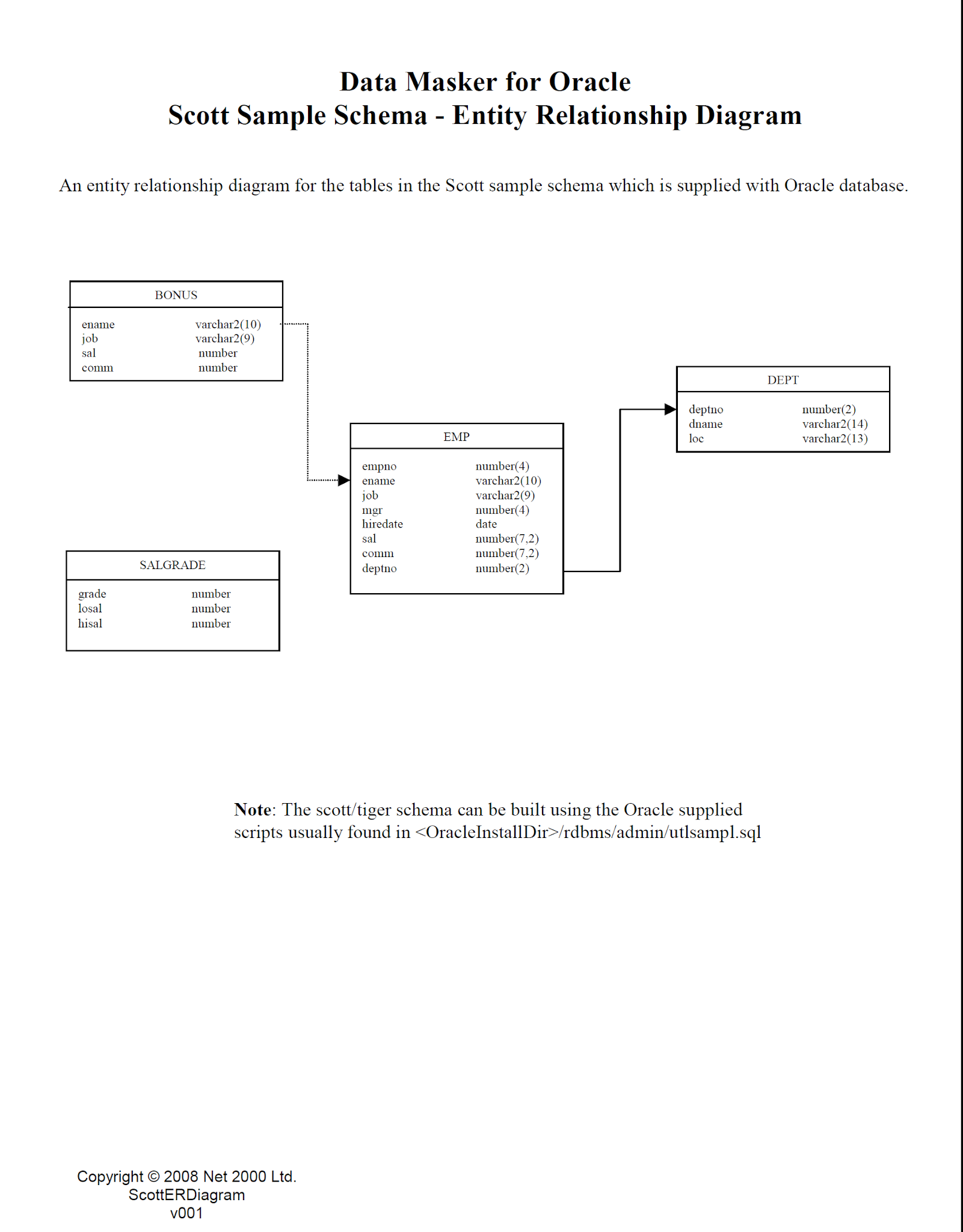
EMP, DEPT and SALGRADE Tables Data
--->> EMP Table
CREATE TABLE EMP
(EMPNO NUMBER(4) NOT NULL,
ENAME VARCHAR2(10),
JOB VARCHAR2(9),
MGR NUMBER(4),
HIREDATE DATE,
SAL NUMBER(7, 2),
COMM NUMBER(7, 2),
DEPTNO NUMBER(2));
INSERT INTO EMP VALUES (7369, 'SMITH', 'CLERK', 7902, TO_DATE('17-DEC-1980', 'DD-MON-YYYY'), 800, NULL, 20);
INSERT INTO EMP VALUES (7499, 'ALLEN', 'SALESMAN', 7698, TO_DATE('20-FEB-1981', 'DD-MON-YYYY'), 1600, 300, 30);
INSERT INTO EMP VALUES (7521, 'WARD', 'SALESMAN', 7698, TO_DATE('22-FEB-1981', 'DD-MON-YYYY'), 1250, 500, 30);
INSERT INTO EMP VALUES (7566, 'JONES', 'MANAGER', 7839, TO_DATE('2-APR-1981', 'DD-MON-YYYY'), 2975, NULL, 20);
INSERT INTO EMP VALUES (7654, 'MARTIN', 'SALESMAN', 7698, TO_DATE('28-SEP-1981', 'DD-MON-YYYY'), 1250, 1400, 30);
INSERT INTO EMP VALUES (7698, 'BLAKE', 'MANAGER', 7839, TO_DATE('1-MAY-1981', 'DD-MON-YYYY'), 2850, NULL, 30);
INSERT INTO EMP VALUES (7782, 'CLARK', 'MANAGER', 7839, TO_DATE('9-JUN-1981', 'DD-MON-YYYY'), 2450, NULL, 10);
INSERT INTO EMP VALUES (7788, 'SCOTT', 'ANALYST', 7566, TO_DATE('09-DEC-1982', 'DD-MON-YYYY'), 3000, NULL, 20);
INSERT INTO EMP VALUES (7839, 'KING', 'PRESIDENT', NULL, TO_DATE('17-NOV-1981', 'DD-MON-YYYY'), 5000, NULL, 10);
INSERT INTO EMP VALUES (7844, 'TURNER', 'SALESMAN', 7698, TO_DATE('8-SEP-1981', 'DD-MON-YYYY'), 1500, NULL, 30);
INSERT INTO EMP VALUES (7876, 'ADAMS', 'CLERK', 7788, TO_DATE('12-JAN-1983', 'DD-MON-YYYY'), 1100, NULL, 20);
INSERT INTO EMP VALUES (7900, 'JAMES', 'CLERK', 7698, TO_DATE('3-DEC-1981', 'DD-MON-YYYY'), 950, NULL, 30);
INSERT INTO EMP VALUES (7902, 'FORD', 'ANALYST', 7566, TO_DATE('3-DEC-1981', 'DD-MON-YYYY'), 3000, NULL, 20);
INSERT INTO EMP VALUES (7934, 'MILLER', 'CLERK', 7782, TO_DATE('23-JAN-1982', 'DD-MON-YYYY'), 1300, NULL, 10);
--->> DEPT Table
CREATE TABLE DEPT (DEPTNO NUMBER(2),DNAME VARCHAR2(14),LOC VARCHAR2(13) );
INSERT INTO DEPT VALUES (10, 'ACCOUNTING', 'NEW YORK');
INSERT INTO DEPT VALUES (20, 'RESEARCH', 'DALLAS');
INSERT INTO DEPT VALUES (30, 'SALES', 'CHICAGO');
INSERT INTO DEPT VALUES (40, 'OPERATIONS', 'BOSTON');
--->> SALGRADE Table
CREATE TABLE SALGRADE (GRADE NUMBER,LOSAL NUMBER,HISAL NUMBER);
INSERT INTO SALGRADE VALUES (1, 700, 1200);
INSERT INTO SALGRADE VALUES (2, 1201, 1400);
INSERT INTO SALGRADE VALUES (3, 1401, 2000);
INSERT INTO SALGRADE VALUES (4, 2001, 3000);
INSERT INTO SALGRADE VALUES (5, 3001, 9999);
COMMIT;
Sunday, September 13, 2020
Oracle Difference between Rank and Dense_Rank
To show the difference practically please
create a new table named dense_rank_demo for demonstration:
CREATE TABLE dense_rank_demo (
col VARCHAR2(10) NOT NULL
);
Next, insert some values into the dense_rank_demo table:
INSERT ALL
INTO dense_rank_demo(col) VALUES('A')
INTO dense_rank_demo(col) VALUES('A')
INTO dense_rank_demo(col) VALUES('B')
INTO dense_rank_demo(col) VALUES('C')
INTO dense_rank_demo(col) VALUES('C')
INTO dense_rank_demo(col) VALUES('C')
INTO dense_rank_demo(col) VALUES('D')
SELECT 1 FROM dual;
SELECT
col, RANK () OVER ( ORDER BY col ) My_rank,
DENSE_RANK () OVER ( ORDER BY col ) My_rank
FROM dense_rank_demo
SQL> /
COL MY_RANK MY_DENSE_RANK
---------- --------- -------------
A 1 1
A 1 1
B 3 2
C 4 3
C 4 3
C 4 3
D 7 4
7 rows selected.